Windows Fundamentals 3
Windows Updates
-
Updates are typically released on the 2nd Tuesday of each month.
- This day is called Patch Tuesday.
-
That doesn’t necessarily mean that a critical update/patch has to wait for the next Patch Tuesday to be released.
- If the update is urgent, then Microsoft will push the update via the Windows Update service to the Windows devices.
-
More on Windows Update
-
Another way to access Windows Update is from the Run dialog box, or CMD, by running the command
control /name Microsoft.WindowsUpdate. -
Throughout the years, Windows users have grown accustomed to pushing Windows Updates off to a later date or not installing the updates at all.
-
Microsoft notably addressed this issue with Windows 10.
- The updates can no longer be ignored or pushed to the side until forgotten.
-
Windows updates can only be postponed, but eventually, the update will happen, and your computer will reboot.
- Microsoft provides these updates to keep the device safe and secure.
Questions
- There were two definition updates installed in the attached VM. On what date were these updates installed?
A: 5/3/2021
Windows Security
#windowssecurity
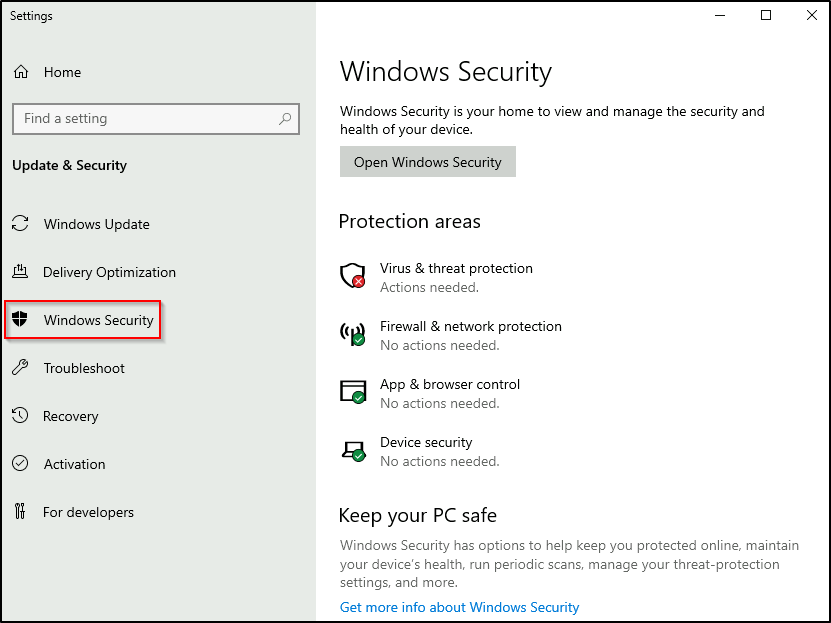
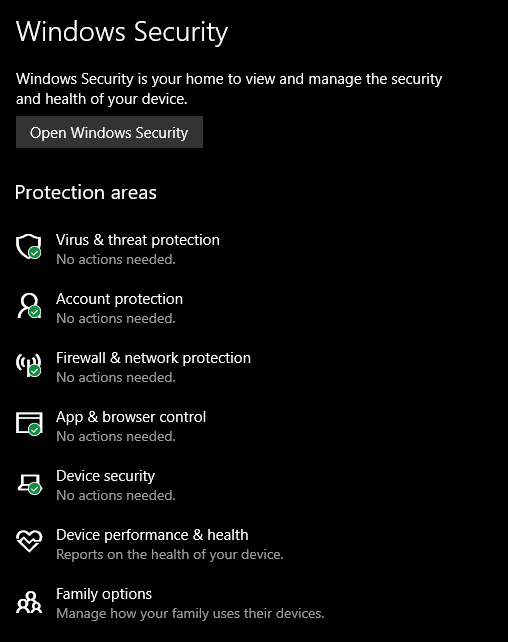
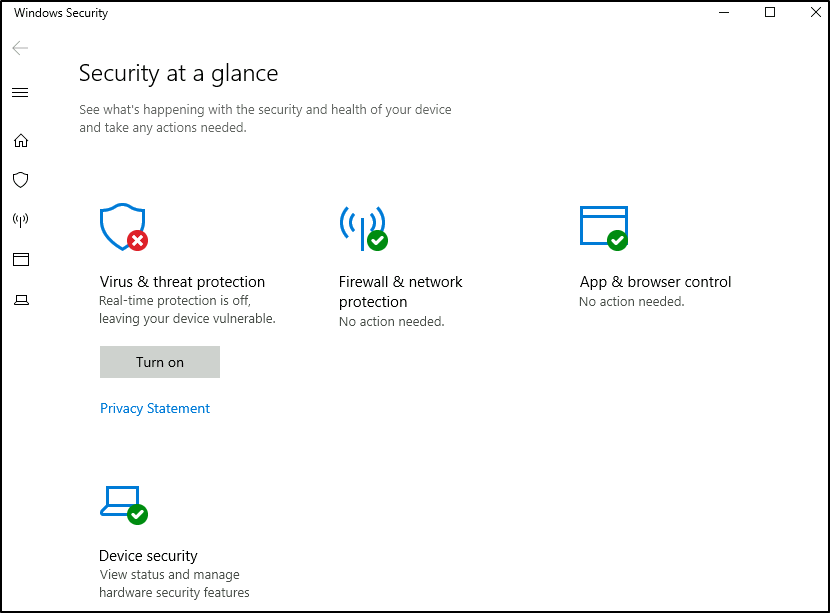
- Per Microsoft, “Windows Security is your home to manage the tools that protect your device and your data”.
Questions
- In the above image, which area needs immediate attention?
A: Virus & threat protection
Virus & threat protection
-
Virus & threat protection is divided into two parts:
- Current threats
- Virus & threat protection settings
The image below only focuses on Current threats.
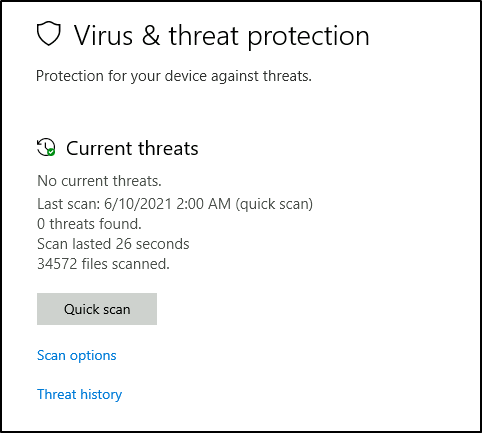
Current threats
-
Scan options
Quick scan- Checks folders in your system where threats are commonly found.Full scan- Checks all files and running programs on your hard disk. This scan could take longer than one hour.Custom scan- Choose which files and locations you want to check.
-
Threat history
Last scan- Windows Defender Antivirus automatically scans your device for viruses and other threats to help keep it safe.Quarantined threats- Quarantined threats have been isolated and prevented from running on your device. They will be periodically removed.Allowed threats- Allowed threats are items identified as threats, which you allowed to run on your device.
Virus & threat protection settings
-
Manage settings
Real-time protection- Locates and stops malware from installing or running on your device.Cloud-delivered protection- Provides increased and faster protection with access to the latest protection data in the cloud.Automatic sample submission- Send sample files to Microsoft to help protect you and others from potential threats.Controlled folder access- Protect files, folders, and memory areas on your device from unauthorized changes by unfriendly applications.Exclusions- Windows Defender Antivirus won’t scan items that you’ve excluded.Notifications- Windows Defender Antivirus will send notifications with critical information about the health and security of your device.
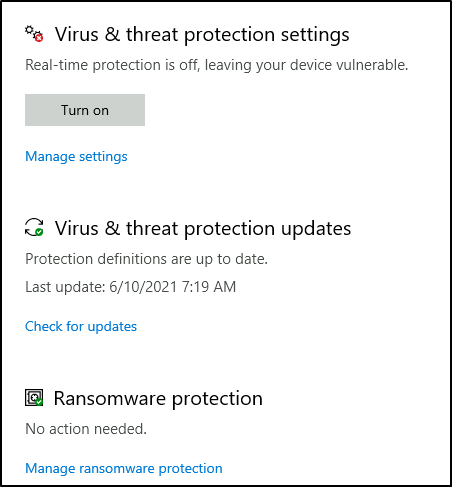
- Tip: You can perform on-demand scans on any file/folder by right-clicking the item and selecting ‘Scan with Microsoft Defender’.
Questions
- Specifically, what is turned off that Windows is notifying you to turn on?
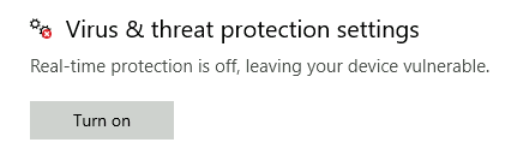
A: Real-time Protection
Firewall & network protection
#firewall
Per Microsoft, “Traffic flows into and out of devices via what we call ports. A firewall is what controls what is - and more importantly isn’t - allowed to pass through those ports. You can think of it like a security guard standing at the door, checking the ID of everything that tries to enter or exit”.
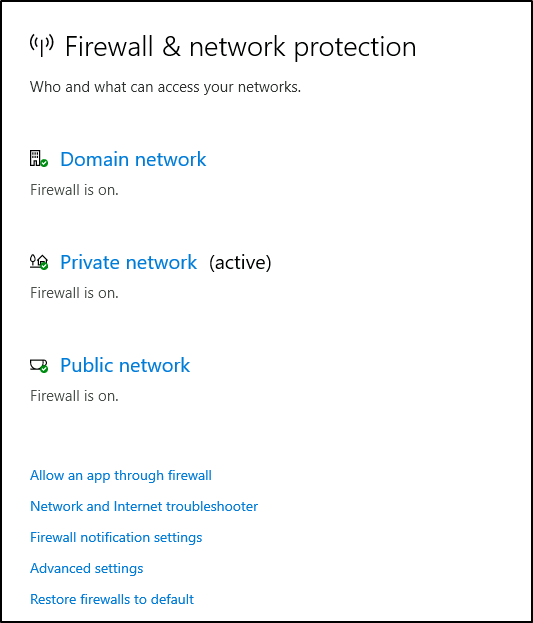
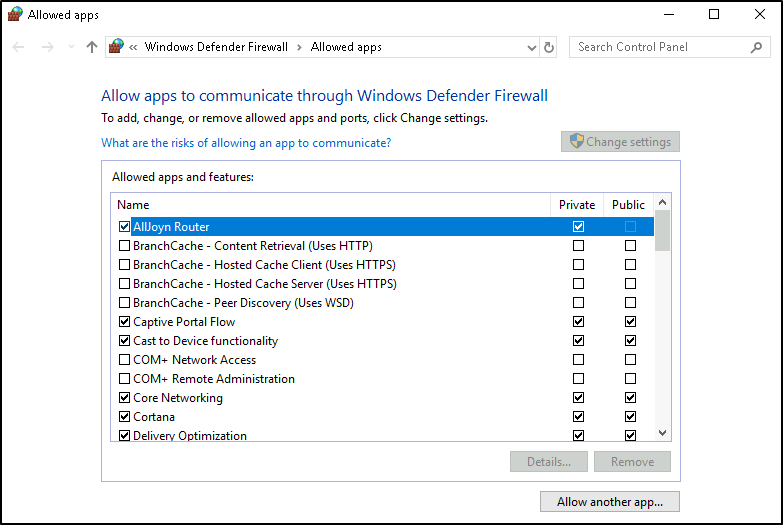
- The below image will reflect what you will see when you navigate to Firewall & network protection.
-
Per Microsoft, “Windows Firewall offers three firewall profiles: domain, private and public”.
-
Domain - The domain profile applies to networks where the host system can authenticate to a domain controller.
-
Private - The private profile is a user-assigned profile and is used to designate private or home networks.
-
Public - The default profile is the public profile, used to designate public networks such as Wi-Fi hotspots at coffee shops, airports, and other locations.
-
-
Tip: Command to open the Windows Defender Firewall is
WF.msc.
Questions
- If you were connected to airport Wi-Fi, what most likely will be the active firewall profile?
A: public network
App & browser control
Per Microsoft, “Microsoft Defender SmartScreen protects against phishing or malware websites and applications, and the downloading of potentially malicious files”.
Device security
Core isolation
Memory Integrity- Prevents attacks from inserting malicious code into high-security processes.
Security processor
#tpm
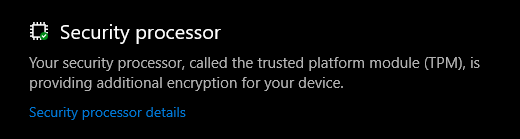
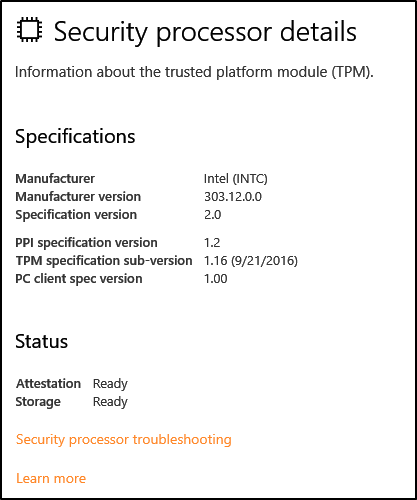
Per Microsoft, “Trusted Platform Module (TPM) technology is designed to provide hardware-based, security-related functions. A TPM chip is a secure crypto-processor that is designed to carry out cryptographic operations. The chip includes multiple physical security mechanisms to make it tamper-resistant, and malicious software is unable to tamper with the security functions of the TPM”.
Questions
- What is the TPM?
A: Trusted Platform Module
BitLocker
#bitlocker
Per Microsoft, “BitLocker Drive Encryption is a data protection feature that integrates with the operating system and addresses the threats of data theft or exposure from lost, stolen, or inappropriately decommissioned computers”.
- On devices with TPM installed, BitLocker offers the best protection.
Per Microsoft, “BitLocker provides the most protection when used with a Trusted Platform Module (TPM) version 1.2 or later. The TPM is a hardware component installed in many newer computers by the computer manufacturers. It works with BitLocker to help protect user data and to ensure that a computer has not been tampered with while the system was offline”.
Questions
- What must a user insert on computers that DO NOT have a TPM version 1.2 or later?

A: USB Startup Key
Volume Shadow Copy Service
#vss
-
Per Microsoft, the Volume Shadow Copy Service (VSS) coordinates the required actions to create a consistent shadow copy (also known as a snapshot or a point-in-time copy) of the data that is to be backed up.
-
Volume Shadow Copies are stored on the System Volume Information folder on each drive that has protection enabled.
-
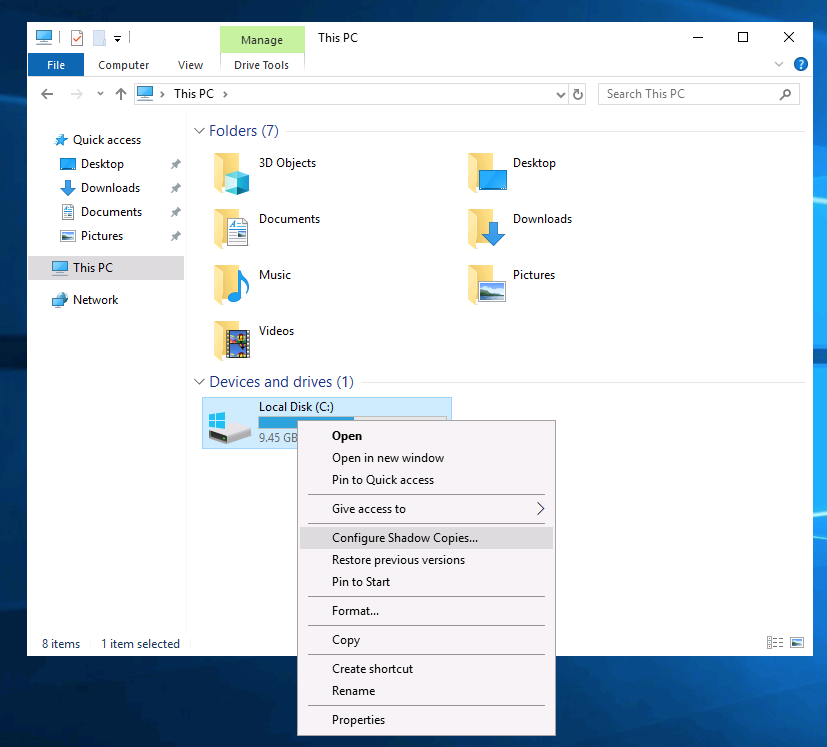
If VSS is enabled (System Protection turned on), you can perform the following tasks from within advanced system settings.
- Create a restore point
- Perform system restore
- Configure restore settings
- Delete restore points
-
From a security perspective, malware writers know of this Windows feature and write code in their malware to look for these files and delete them.
- Doing so makes it impossible to recover from a ransomware attack unless you have an offline/off-site backup.
-
Configuring VSS:
Questions
- What is VSS?
A: Volum Shadow Copy Service
- Note: Attackers use built-in Windows tools and utilities in an attempt to go undetected within the victim environment.
- This tactic is known as Living Off The Land. Refer to the following resource here to learn more about this.
-
Further reading material: