WebFundamentals
- User: bung3r
- Date:
- Description: Learn how the web works!
Tags: #web #pentesting
Writeup
-
Simple GET request to ctf/get:
curl http://10.10.110.50:8081/ctf/get -
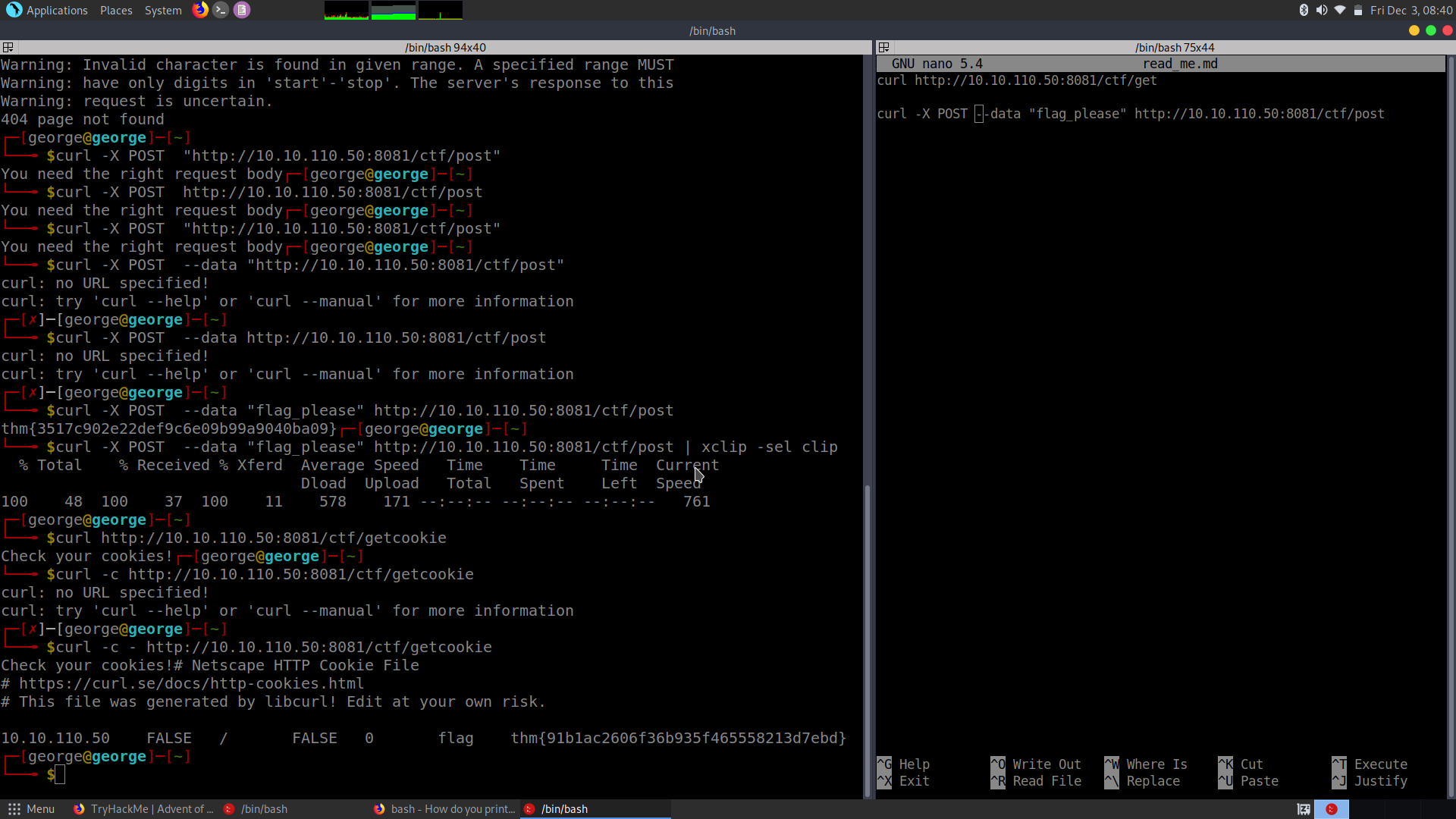
POST request with data ‘flag please’ to /ctf/post:
`curl -X POST --data "flag_please" http://10.10.110.50:8081/ctf/post`
-
Send cookie and then a GET request to ctf/sendcookie:
`curl -b "flagpls=flagpls" http://10.10.110.50:8081/ctf/sendcookie`
What I learned
How do you find a server?
-> By making a DNS request -> like a phone book that takes an URL and converts it into an IP address.
->HTTP runs on default on port 80 -> HTTPS on port 443
-> GET requests -> retrieve ==content== (such as the page itself)
-> POST requests -> send data to the server (perform a login)
GET /main.js HTTP/1.1
VERB PATH
!Body of a GET request in usually ignored!
Responses
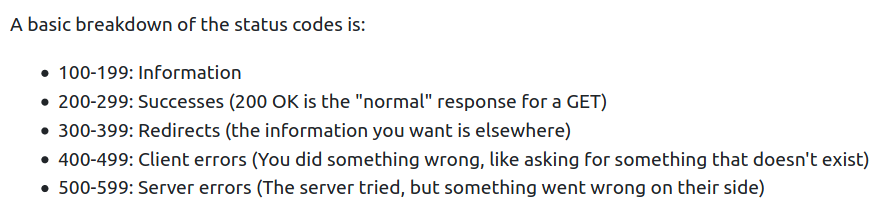
Instead of a verb and a path, we have a status code (more information):
Cookies
-> Small bits of data that are stored uniquely in every browser (including cURL)
-> Normally sent with every HTTP request to the servers
Why do we need cookies?
Because HTTP is stateless, meaning that each request is independent and no state is tracked internally.
The most important part of a cookie is the name-value pair.
Also, you can create your own cookie.