Passive Recon
Passive vs Active Recon
-
Reconnaissance = preliminary survey to gather information about a target.
-
Two types of reconnaissance:
1). Passive Recon

-
rely on publicly available information without actually engaging with the target.
-
just observing the territory wihout actually ‘stepping’ on it.
-
Passive recon activities:
-
Looking up DNS records of a domain from a public website
-
Checking job ads related to the target website.
-
Reading news articles about the target company
-
2). Active Recon

-
requires direct engagement with the target.
-
Active Recon activities:
-
Connecting to one of the company servers such as HTTP, FTP and SMTP.
-
Calling the company in an attempt to get information (social engineering)
-
Entering company premises pretending to be a repairman
-
Questions
- You visit the Facebook page of the target company, hoping to get some of their employee names. What kind of reconnaissance activity is this? (A for active, P for passive)
R: Passive
- You ping the IP address of the company webserver to check if ICMP traffic is blocked. What kind of reconnaissance activity is this? (A for active, P for passive)
R: Active
- You happen to meet the IT administrator of the target company at a party. You try to use social engineering to get more information about their systems and network infrastructure. What kind of reconnaissance activity is this? (A for active, P for passive)
R: Active
Whois
-
request and response protocol that follows RFC 3912
-
it listens for TCP requests on port 43
-
the domain registrar is responsible for maintaining the WHOIS server
-
we can learn:
-
Registrar: Via which registrar was the domain name registered?
-
Contact info of registrant: Name, organization, address, phone, among other things. (unless made hidden via a privacy service)
-
Creation, update, and expiration dates: When was the domain name first registered? When was it last updated? And when does it need to be renewed?
-
Name Server: Which server to ask to resolve the domain name?
-
Questions
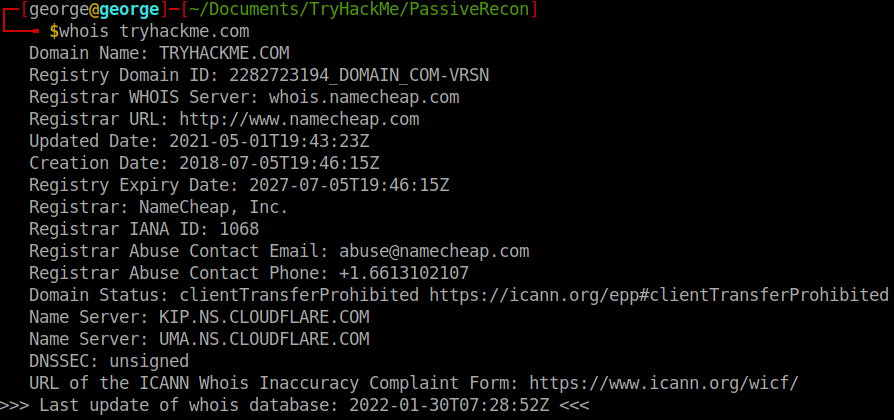
- When was TryHackMe.com registered?
R: 2018 07 05
- What is the registrar of TryHackMe.com?
R:namecheap.com
- Which company is TryHackMe.com using for name servers?
R: cloudfare.com
Nslookup and dig
-
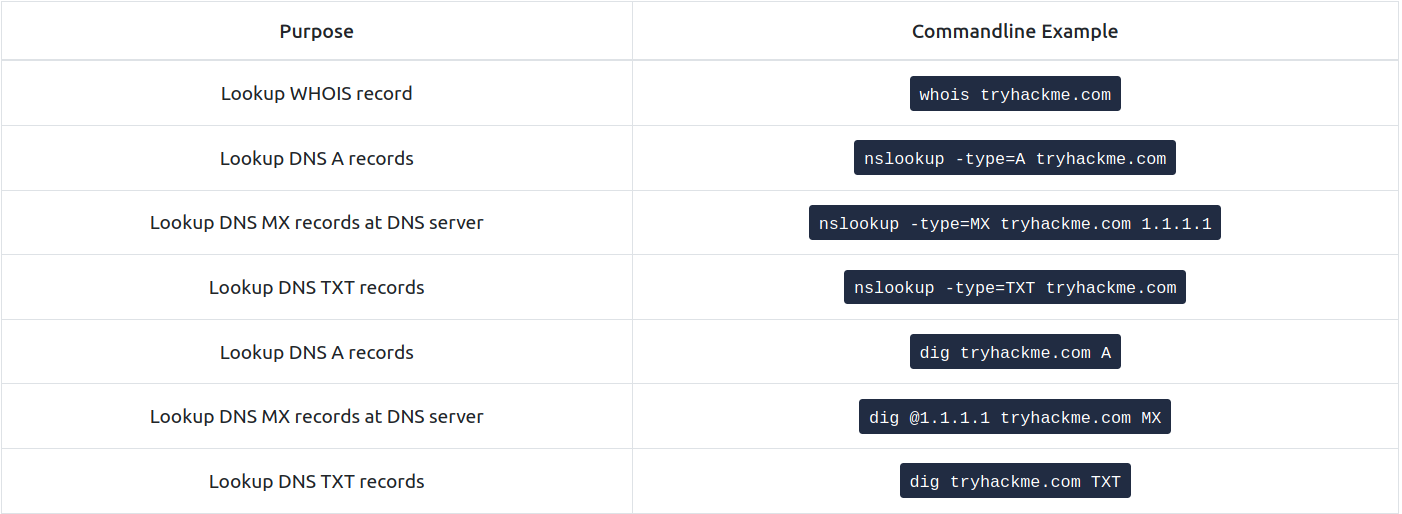
with nslookup (Name Server Look Up) we can get the IP address of a domain name.
-
Command:
nslookup OPTIONS DOMAIN_NAME SERVER
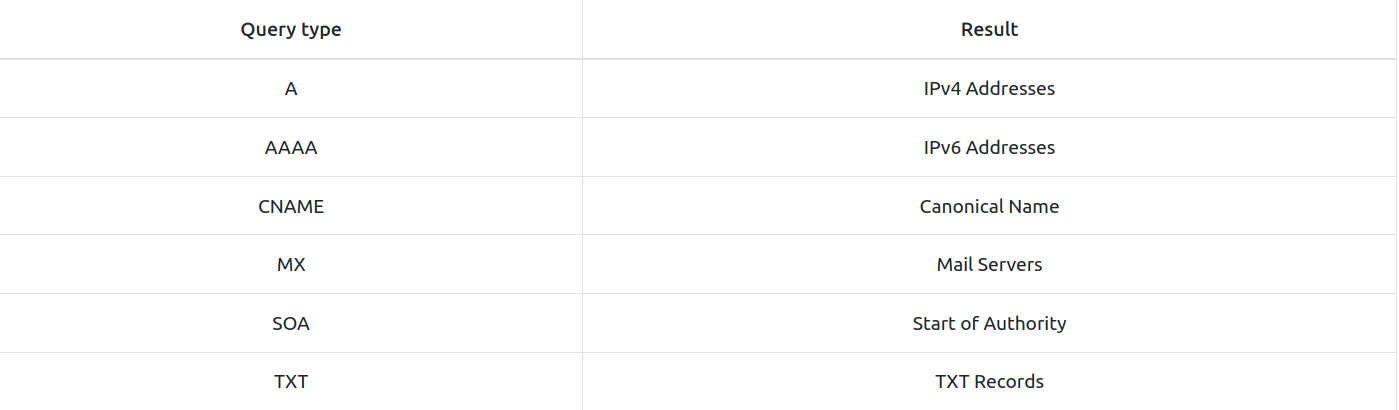
- Options:
-
Domain_Name: the domain name you are looking up
-
Server: the DNS Server you want to query:
-
Cloudfare offers 1.1.1.1 and 1.0.0.1
-
Google offers 8.8.8.8 and 8.8.4.4
-
Quad9 offers 9.9.9.9 and 149.112.112.112
-
-
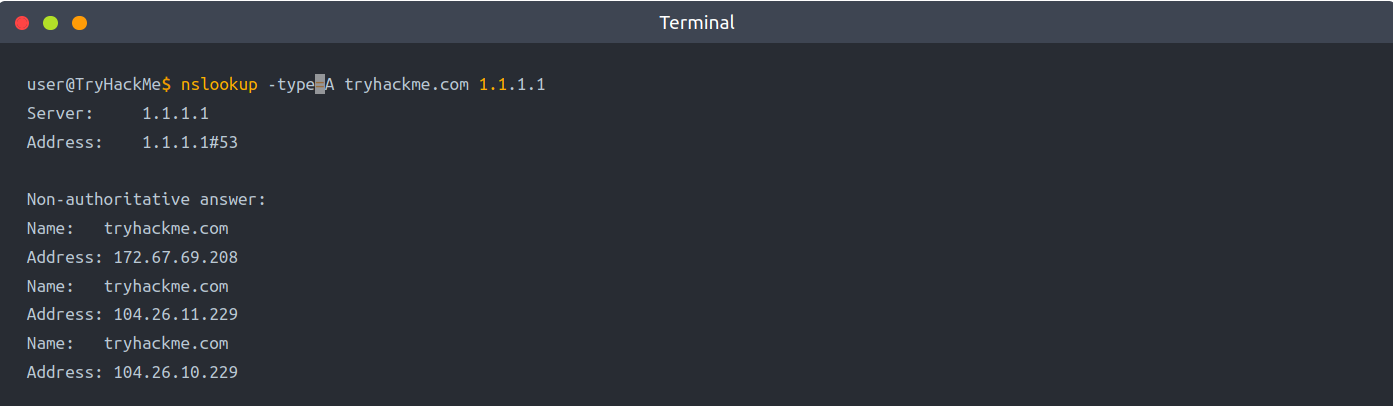
return all the IPv4 addresses used by tryhackme.com by using the command:
nslookup -type=A tryhackme.com 1.1.1.1
-
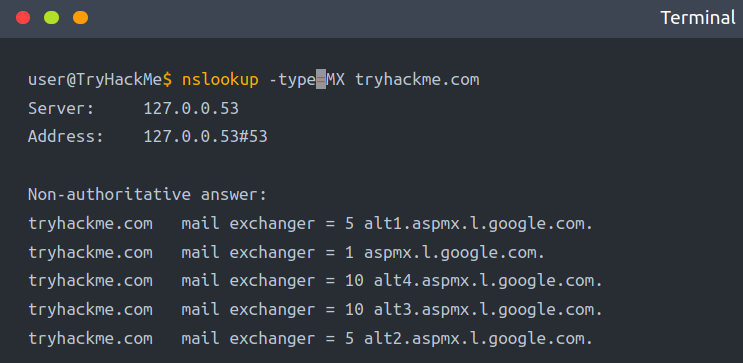
you want to learn about the email servers and configurations for a particular domain.
- you can use:
nslookup -type=MX tryhackme.com:
- you can use:
-
e can see that tryhackme.com’s current email configuration uses Google.
-
Since MX is looking up the Mail Exchange servers, we notice that when a mail server tries to deliver email @tryhackme.com, it will try to connect to the aspmx.l.google.com, which has order 1.
-
If it is busy or unavailable, the mail server will attempt to connect to the next in order mail exchange servers, alt1.aspmx.l.google.com or alt2.aspmx.l.google.com.
-
for more advances DNS queries, we can use dig (Domain Information Groper)
-
How to use dig:
dig SERVER DOMAIN_NAME TYPE
- Server: the DNS server you want to query
- Domain_name: the domain name you are looking up
- Type: the DNS record type
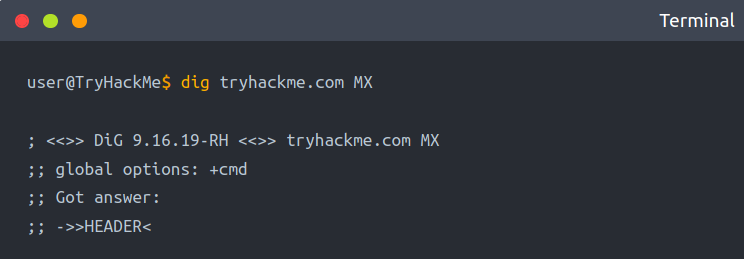
- if you want to query a 1.1.1.1 DNS server, use:
dig @1.1.1.1 tryhackme.com MX
Questions
- Check the TXT records of thmlabs.com. What is the flag there?
R: 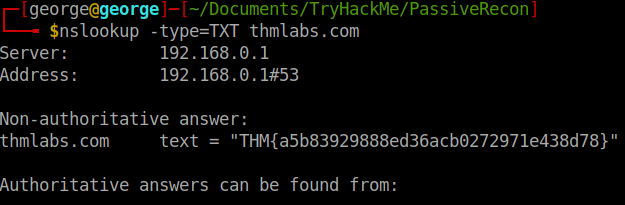
DNSDumpster
-
nslookup and dig cannot find subdomains on their own
-
maybe tryhackme has the subdomains webmail.tryhackme.com or wiki.tryhackme.com that haven’t been updated lately and which we can take advantage of.
-
online service that offers detailed answers to DNS queries: DNSDumpster
-
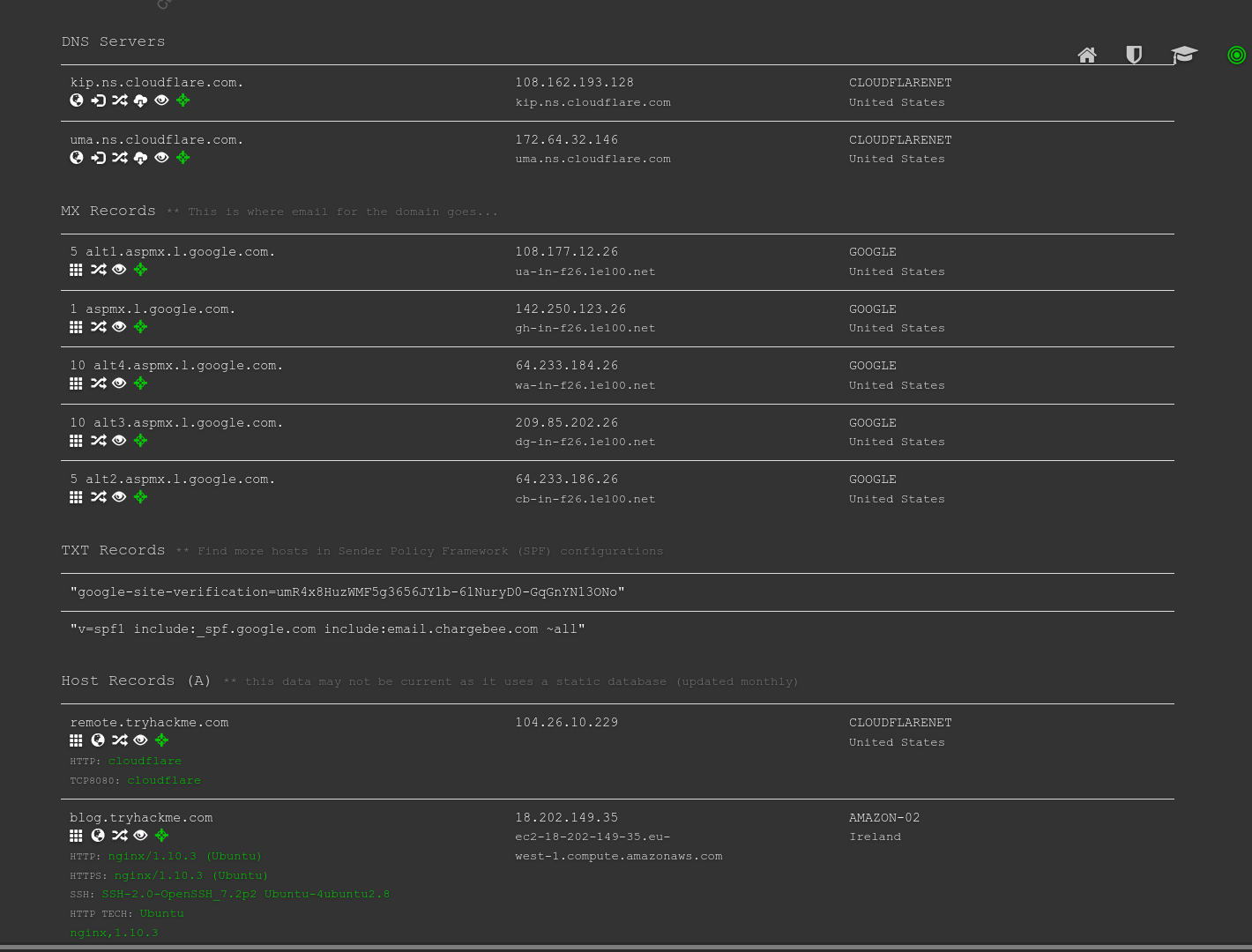
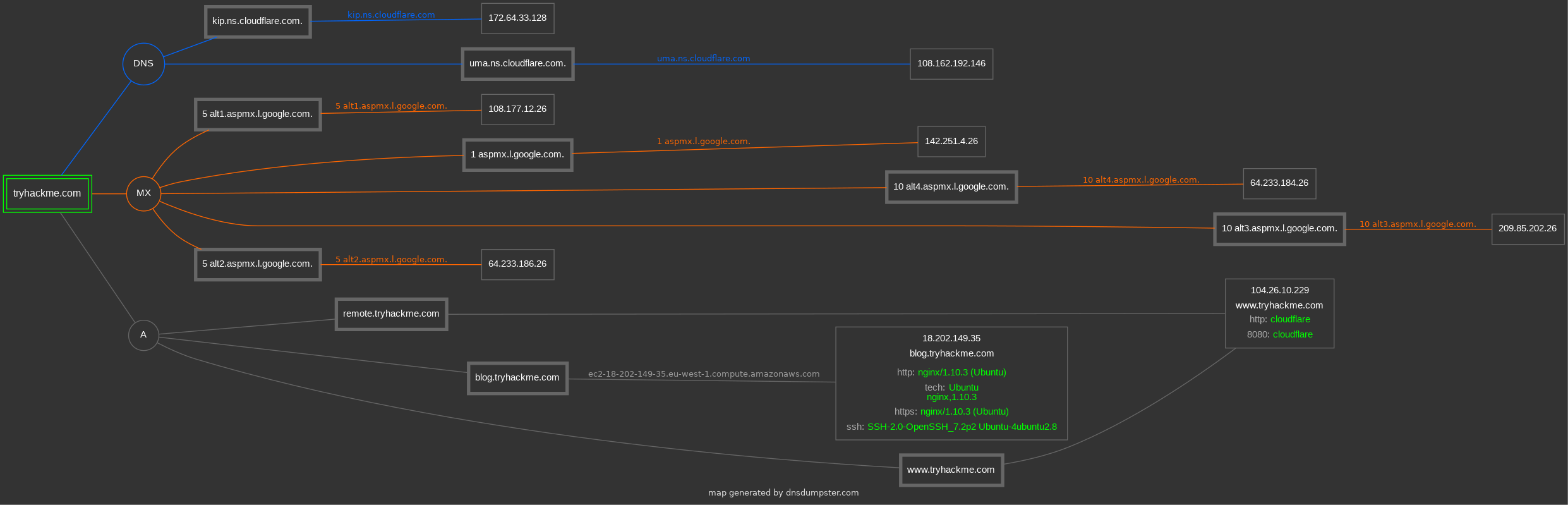
We will search for tryhackme.com on DNSDumpster.
-
Among the results, we got a list of DNS servers for the domain we are looking up.
-
DNSDumpster also resolved the domain names to IP addresses and even tried to geolocate them.
-
We can also see the MX records; DNSDumpster resolved all five mail exchange servers to their respective IP addresses and provided more information about the owner and location.
-
Finally, we can see TXT records.
Question
- Lookup tryhackme.com on DNSDumpster. What is one interesting subdomain that you would discover in addition to www and blog?
R: remote
Shodan.io
-
an attacker can use Shodan.io to gain information about the client’s network without actually connecting to it
-
on the defensive side, one can use this to learn about connected and exposed devices belonging to the organization.
-
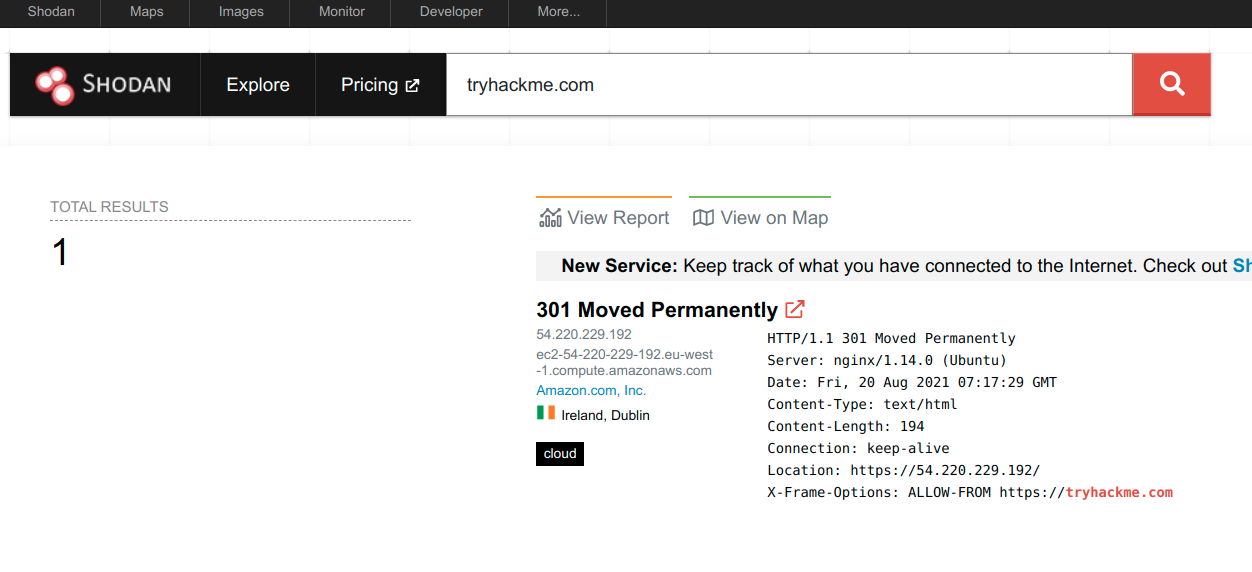
Shodan.io tries to connect to every reachable device online to build a search engine of connected ‘things’.
-
we can learn several things from a Shodan.io search:
- IP addresses
- hosting company
- geographic location
- server type and version
Questions
- According to Shodan.io, what is the 2nd country in the world in terms of the number of publicly accessible Apache servers?
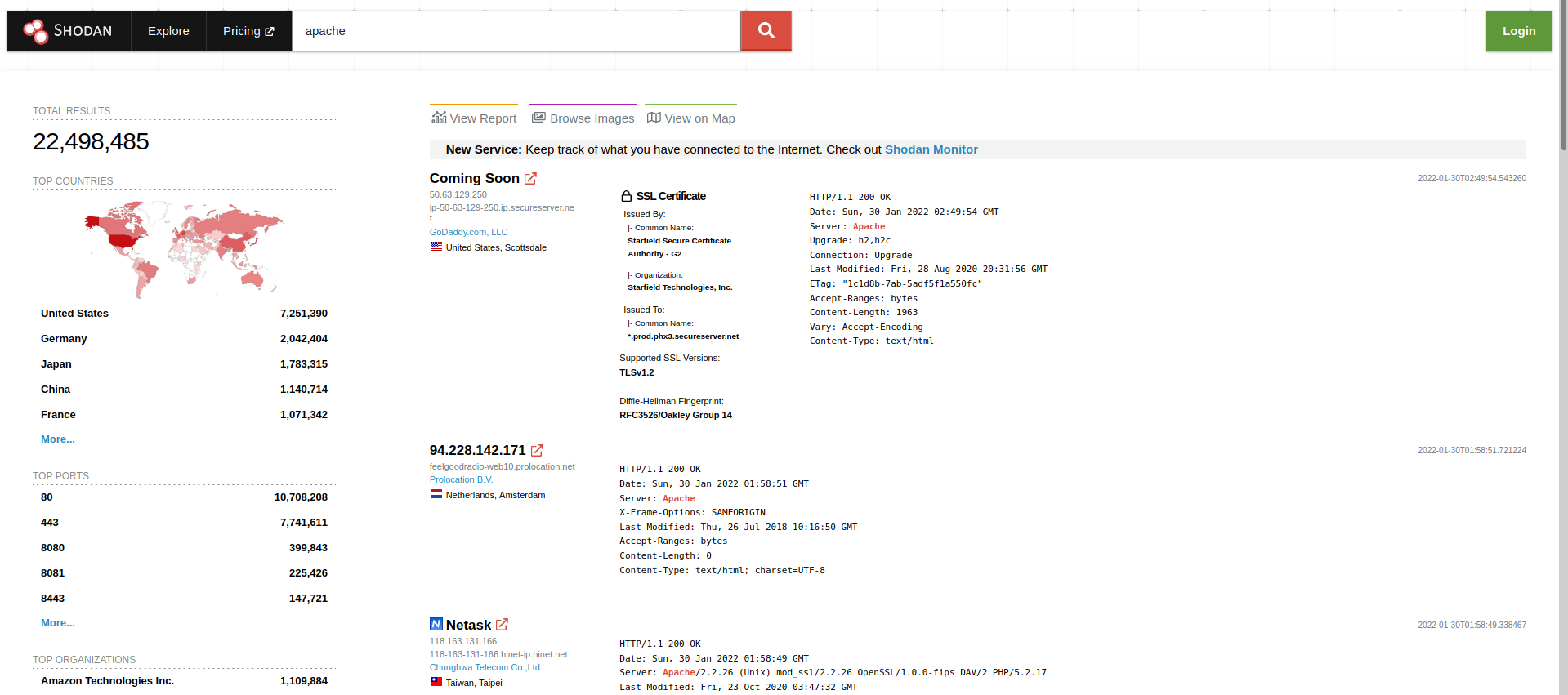
R: Germany
- Based on Shodan.io, what is the 3rd most common port used for Apache?
R: 8080
- Based on Shodan.io, what is the 3rd most common port used for nginx?
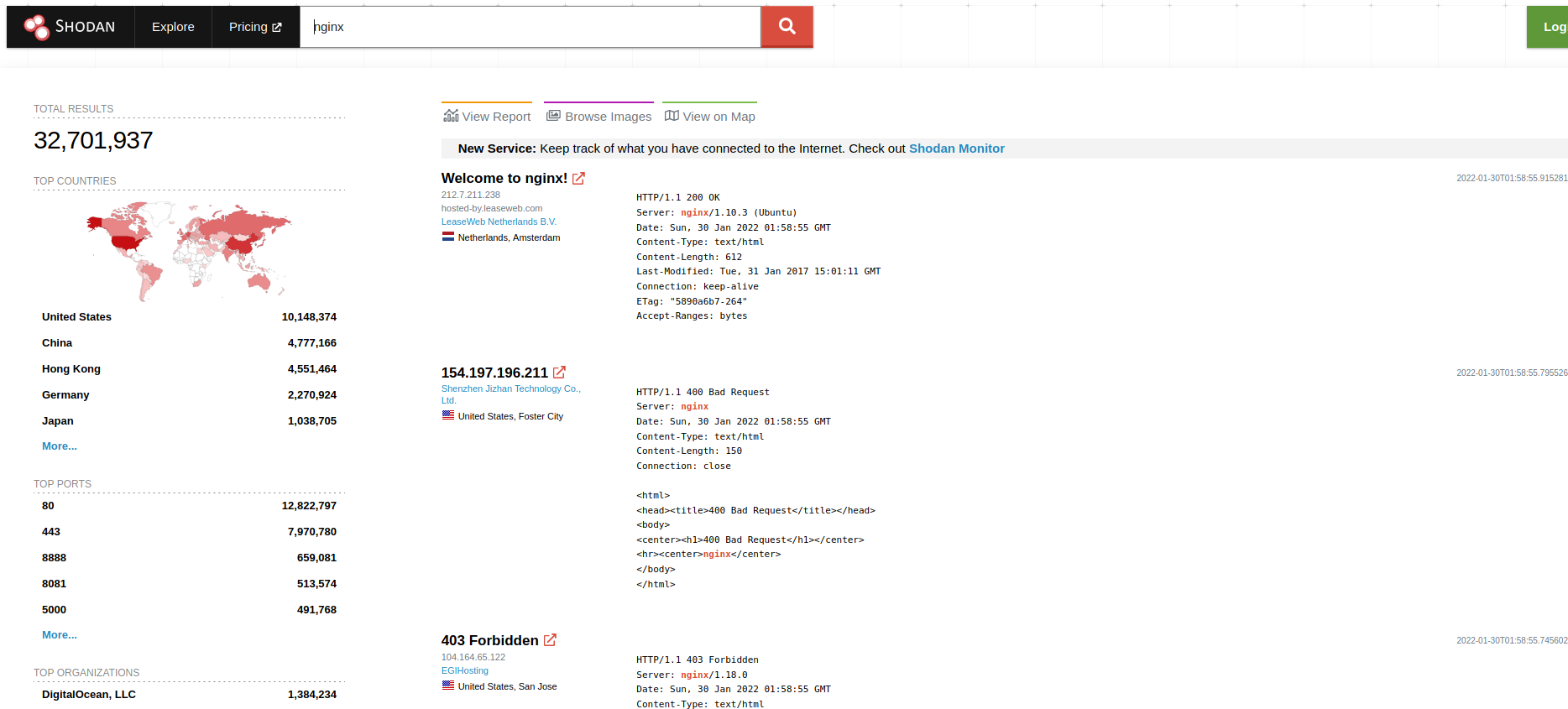
R: 8888
Recap