CyberChef - The Basics
Accessing the Tool
Online Access
All you need is a web browser and an internet connection. Then, you can click this link to open CyberChef directly within your web browser.
Offline or Local Copy
You can run this offline or locally on your machine by downloading the latest release file from this link. This will work on both Windows and Linux platforms. As best practice, you should download the most stable version.
Navigating the Interface
Below are some operations you might use throughout your cyber security journey.
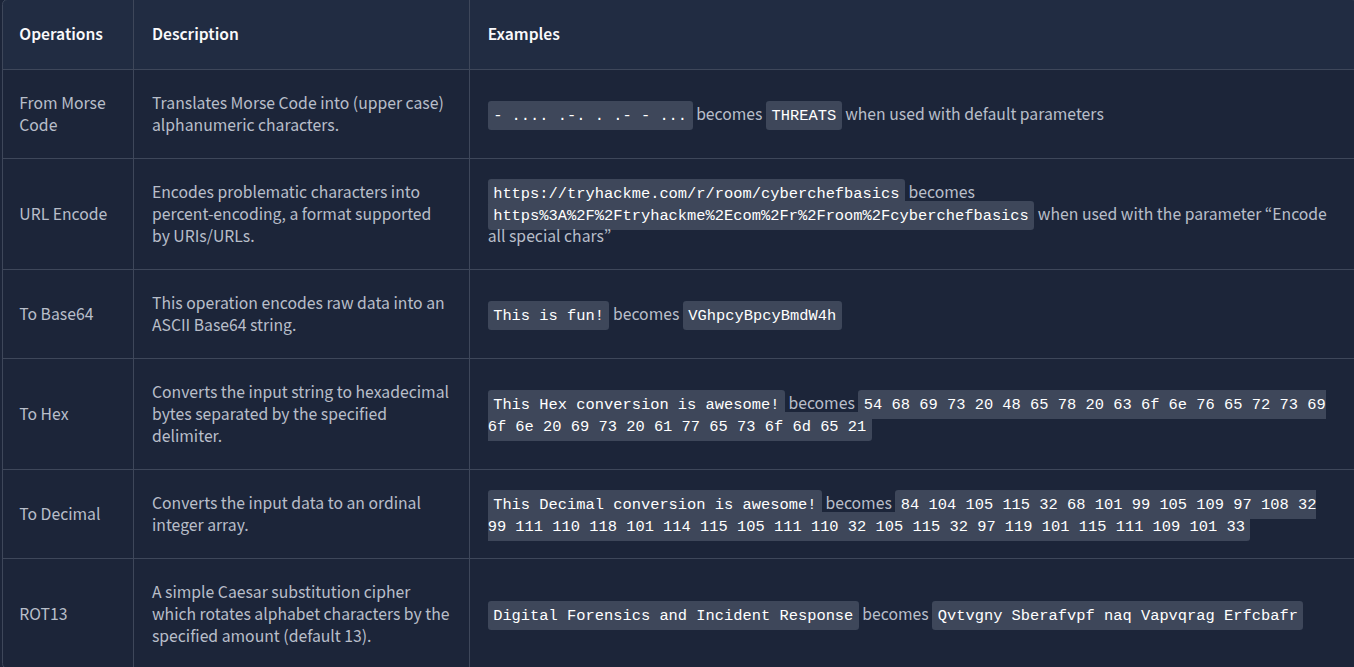
Features include the following:
Save recipe: This feature allows the user to save selected operations.Load recipe: Allows the user to load previously saved recipes.Clear Recipe: This feature will enable users to clear the chosen recipe during usage.
Additionally, it has the following features:
Add a new input tab: This is where an additional tab is created for the user to use different values from the previous tab.

Open folder as input: This feature allows users to upload a whole folder as input value.

Open file as input: This feature allows the user to upload a file as its input value.

Clear input and output: This feature allows the user to clear any input values inserted and the corresponding output value.Reset pane layout: This feature brings the tool’s interface to its default window sizes.
Questions
In which area can you find “From Base64”?
A: operations
Which area is considered the heart of the tool?
A: recipe
Before Anything Else
Before even going to the actual thing, let’s have a quick overview of the thought process when using CyberChef! This process consists of four different steps:

Questions
At which step would you determine, “What do I want to accomplish?
A: 1
Practice, Practice, Practice
Extractors
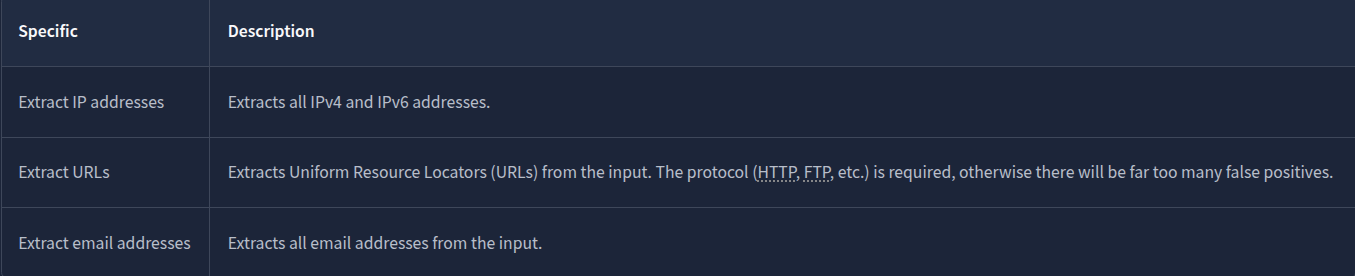
Date and Time

A UNIX timestamp is a 32-bit value representing the number of seconds since January 1, 1970 UTC (the UNIX epoch). To convert “Fri Sep 6 20:30:22 +04 2024” into a UNIX Timestamp, use the operations To UNIX Timestamp, where the result would be 1725654622. If you wish to convert it back to a more readable format, you can use From UNIX Timestamp.
Data Format
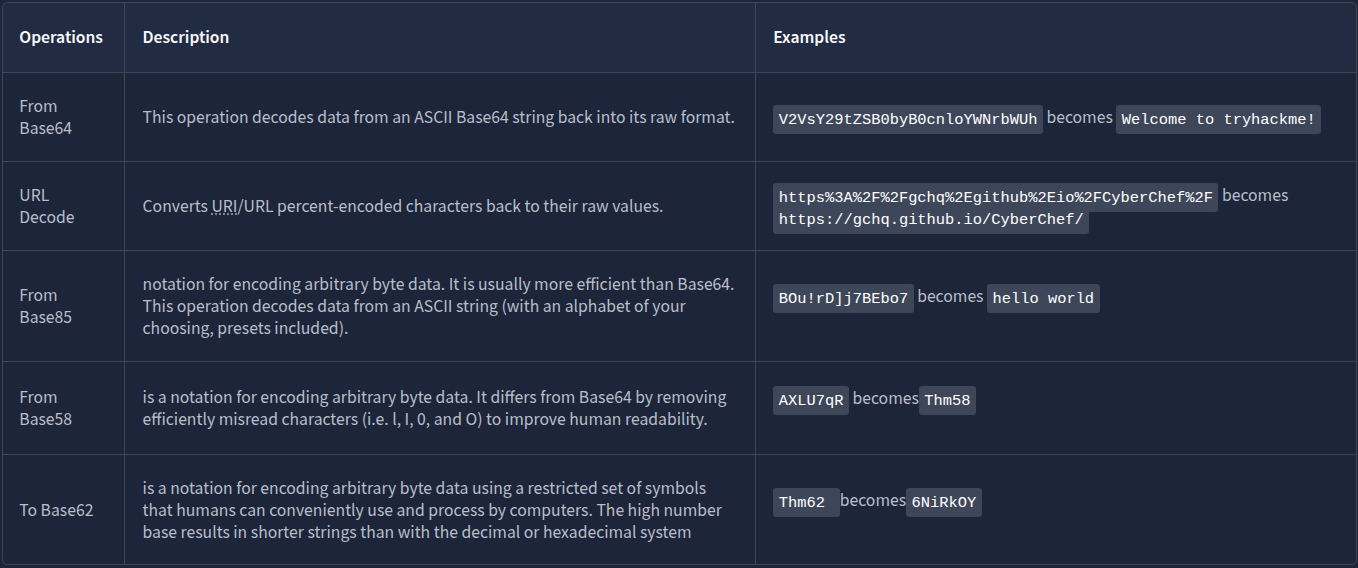
Questions
What is the hidden email address?
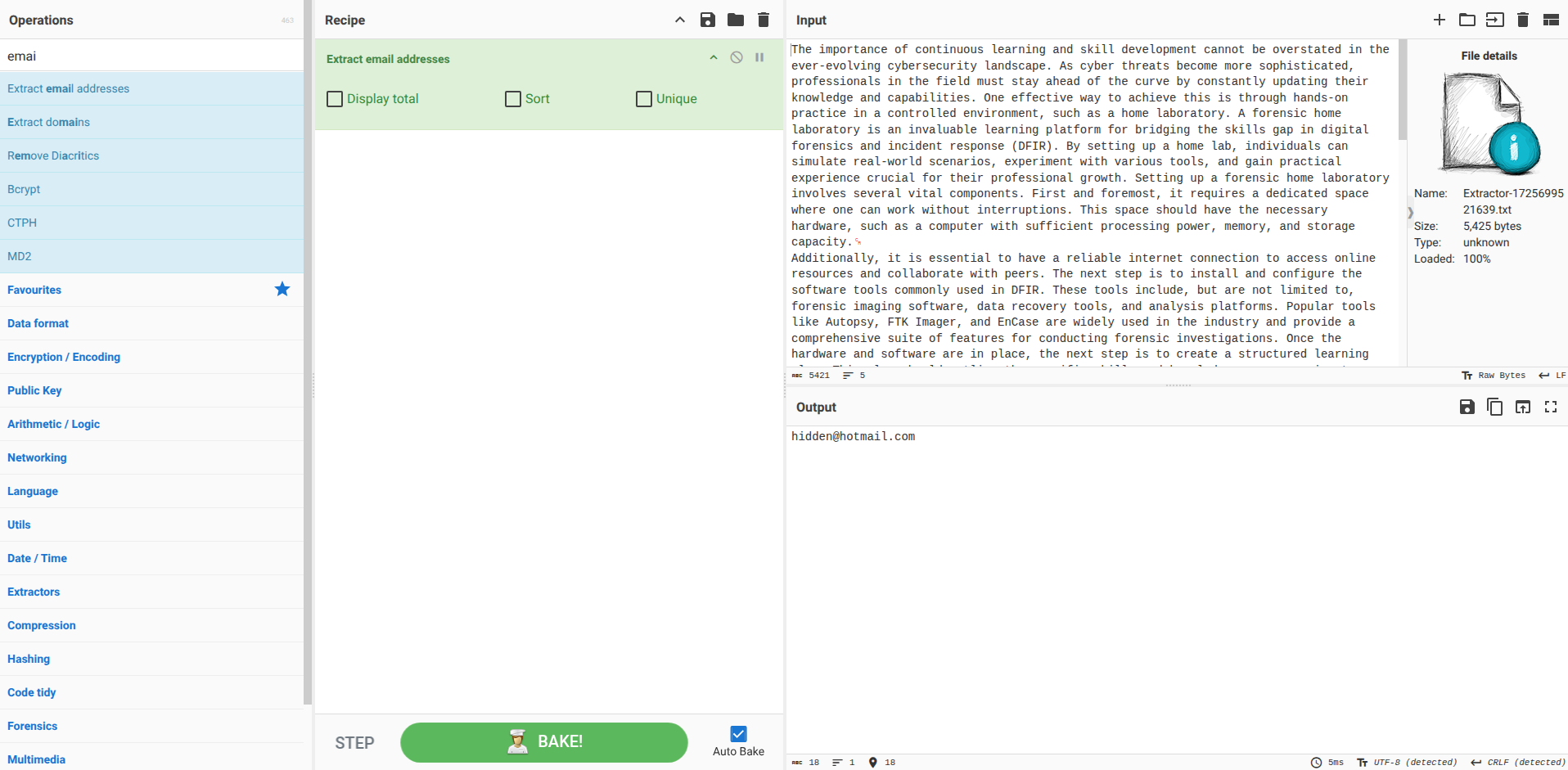
A: hidden@hotmail.com
What is the hidden IP address that ends in .232?
Use the Extract IP operation.
A: 102.20.11.232
Which domain address starts with the letter “T”?
Use the Extract Domains operations.
A: TryHackMe.com
What is the binary value of the decimal number 78?
A: 01001110
What is the URL encoded value of https://tryhackme.com/r/careers?
Use the URL Encode operation and make sure you check “Encode all special characters”
A: https%3A%2F%2Ftryhackme%2Ecom%2Fr%2Fcareers
Your First Official Cook
Questions
Using the file you downloaded in Task 5, which IP starts and ends with “10”?
Use the operation Extract IP addresses.
A: 10.10.2.10
What is the base64 encoded value of the string “Nice Room!”?
Use the operation To Base64.
A: TmljZSBSb29tIQ==
What is the URL decoded value for https%3A%2F%2Ftryhackme%2Ecom%2Fr%2Froom%2Fcyberchefbasics?
Use the operation URL decode
A: https://tryhackme.com/r/room/cyberchefbasics
What is the datetime string for the Unix timestamp 1725151258?
Use the operation From UNIX Timestamp.
A: Sun 1 September 2024 00:40:58 UTC
What is the Base85 decoded string of the value <+oue+DGm>Ap%u7?
Use the operation From Base85
A: This is fun!